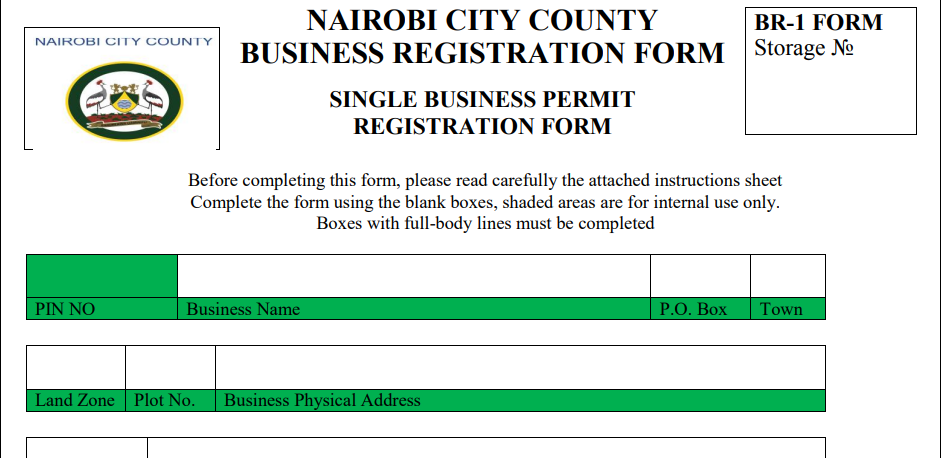
Applying for a Single Business Permit in Kenya: Online Requirements and Steps
Introduction
In Kenya, every business must have a Single Business Permit (SBP) to legally operate within county jurisdictions. This permit consolidates multiple licenses into one, simplifying compliance for business owners. Thanks to digital advancements, the Kenyan government has made it easier to apply for an SBP online. This guide outlines the requirements and step-by-step process for obtaining a Single Business Permit in Kenya.
Need help registering your business name before applying for a permit? Cyber Mfukoni can assist you. Check the service below to get started.
Business Name Registration
We provide professional business name registration services through BRS eCitizen portal. Expert assi...
Understanding the Single Business Permit
What is a Single Business Permit?
A Single Business Permit is a comprehensive license that allows businesses to legally operate within a specific county in Kenya. It replaces the need for multiple permits, such as trade licenses, fire clearance, and health certificates. Issued by county governments, this permit is mandatory for all types of businesses, including sole proprietorships, partnerships, and companies.
Why is a Single Business Permit Important?
Legal Compliance: Operating a business without an SBP is illegal and can result in fines or closure.
Business Credibility: Having an SBP boosts your business’s legitimacy, making it easier to attract customers and partners.
Access to Services: Some contracts and business services require an active SBP.
Simplified Process: The SBP integrates multiple licenses into one, reducing bureaucracy for business owners.
Online Requirements for a Single Business Permit Application
Before applying online, ensure you have the following:
Business Registration
Sole proprietorships and partnerships must be registered with the Registrar of Businesses.
Companies must be registered with the Registrar of Companies.
KRA PIN Certificate
A valid Kenya Revenue Authority (KRA) Personal Identification Number (PIN) is required for tax compliance.
Business Location Details
Provide details such as the physical address and plot number to help the county government assess your business's suitability.
Business Activity Description
Clearly describe your business operations to help the county classify your business and determine the applicable fees.
Proof of Land Rate Payments
If your business operates on leased or owned land, you may need to show proof of land rate payments to the county government.
Health and Fire Clearance Certificates (if applicable)
If you operate in food, hospitality, or manufacturing, you may need health and fire clearance certificates.
Business Permit Application Form
Download and complete the application form from your county’s e-services portal.
Application Fees
The fee varies based on county and business type. Payments can be made online via mobile money (M-Pesa), credit/debit card, or bank transfer.
Step-by-Step Guide to Applying for a Single Business Permit Online
The online application is simple and convenient. Follow these steps:
Step 1: Register on the County E-Services Portal
Visit the county’s official website and navigate to the E-Services Portal.
Create an account by entering your name, email, phone number, and KRA PIN.
Verify your account via email or SMS.
Step 2: Log into Your Account
Sign in using your credentials.
Go to the Business Permits section on the portal.
Step 3: Complete the Application Form
Select the option for Single Business Permit.
Enter your business details (name, location, type, activities).
Upload scanned copies of required documents (KRA PIN, business registration certificate, etc.).
Describe your business activities to help determine the applicable fees.
Step 4: Pay the Application Fee
The portal will automatically calculate the applicable fee.
Choose a payment method (M-Pesa, bank transfer, or credit/debit card).
Complete the payment and save the payment receipt.
Step 5: Submit Your Application
Review all details to ensure accuracy.
Submit the application and receive a reference number for tracking.
Step 6: Wait for Approval
The county government will review your application, which may take a few days or weeks.
In some cases, business premises inspections may be required.
Once approved, you will receive a notification via email or SMS.
Step 7: Download Your Single Business Permit
Log into the portal, go to the Business Permits section.
Download and print your approved Single Business Permit.
Display the permit prominently at your business premises.
Step 8: Renew Your Single Business Permit
Most counties send a renewal reminder before expiration.
Log into the portal, follow the renewal process, and pay the renewal fee.
Download and print your renewed permit.
Tips for a Smooth Application Process
✅ Prepare documents in advance: Have all required documents ready before starting.
✅ Double-Check Your Information: Ensure all details are accurate to avoid delays.
✅ Track Deadlines: Mark renewal dates to avoid expired permits.
✅ Seek Assistance if Needed: Contact county customer support for help.
✅ Stay Updated: County requirements may change, so check for updates regularly.
Common Challenges and How to Overcome Them
Technical Issues with the Portal
Try accessing it during off-peak hours or contact IT support.
Delays in Application Processing
Ensure all information is correct and complete, and follow up if necessary.
Application Rejection
Review the rejection notice, correct errors, and resubmit the application.
Payment Issues
Verify payment details before proceeding, and contact the county’s finance department if needed.
Benefits of Applying for a Single Business Permit Online
✔ Convenience: Apply from anywhere, eliminating the need for physical visits.
✔ Time-saving: The process is faster than manual applications.
✔ Transparency: The online system provides real-time application updates.
✔ Reduced Paperwork: Digital applications reduce physical paperwork.
✔ 24/7 Accessibility: The e-services portal is available anytime.
Applying for a single business permit in Kenya is a crucial step for business compliance. The online application makes the process easier and more efficient. By following the outlined steps and ensuring your documents are in order, you can obtain your SBP without hassle.
Stay updated on county regulations, renew your permit on time, and focus on growing your business while contributing to Kenya’s economic development.
About the author
Julius
IT & E-Government Services Specialist
Julius is a Nairobi-based IT specialist with over a decade of hands-on experience navigating Kenya's digital government platforms — eCitizen, NTSA TIMS, KRA iTax, and the Business Registration Service (BRS). He has helped thousands of individuals and businesses cut through the paperwork to access government services online and writes practical, step-by-step guides drawn from that day-to-day experience.
Related Agency
Business Registration Service (BRS)
BRS
We provide expert online business registration services including company registration, business name registration, partnership deeds, and annual returns filing. Fast, affordable assistance for all your business compliance needs.
View Agency ServicesRelated Services
Need Expert Assistance?
Our team can handle the entire application process for you.